
SEO Grid — Shopify SEO spreadsheet for products, pages & blog posts
SEO Grid lets merchants edit Shopify SEO fields in a spreadsheet-style grid — one content type at a time, with up to three locale columns.
Semgrid SEO Grid is live on the Shopify App Store.
| Content types | Products, online store pages, blog articles, custom metaobjects |
| SEO fields | Meta title, meta description, URL handle |
| Locales | Up to 3 published shop locales per grid |
| Status filter | Products, pages, blog posts — server-side filter by draft / published (and product archived / unlisted) |
| Export / import | CSV or JSON for the current page (≤25 rows) — edit offline or with AI, import, then Save All or Save per row |
| Opens from | Shopify Admin → Apps → SEO Grid (new browser tab) |
What it does
Section titled “What it does”- Spreadsheet grid — scan and edit SEO for many rows without opening each resource in Admin.
- Save one row or Save All — per-row Save anytime, or Save All for every highlighted row on this page (≤25); not a full-catalog bulk editor.
- Unsaved row highlights — amber background on SEO cells that differ from the last successful save.
- Primary-locale search — find rows by item title or SEO page title (
?q=). Products also support an exact tag filter (?tag=). - Status filter — on products, pages, and blog posts, narrow the grid to draft, published/active, or (products only) archived / unlisted.
- Multi-locale columns — edit translations for meta fields where Shopify exposes them.
- CSV / JSON transfer — export the current page, edit SEO in a file, import back into the grid (see Export & import).
- Agent-friendly markup — semantic HTML, JSON-LD, and optional Row info context for browser automation (see AI agents).
Quick start
Section titled “Quick start”- Install SEO Grid from the Shopify App Store and approve permissions.
- Open Apps → SEO Grid in Shopify Admin.
- If Shopify asks for a plan, select Basic (3-day free trial, then USD $6/month).
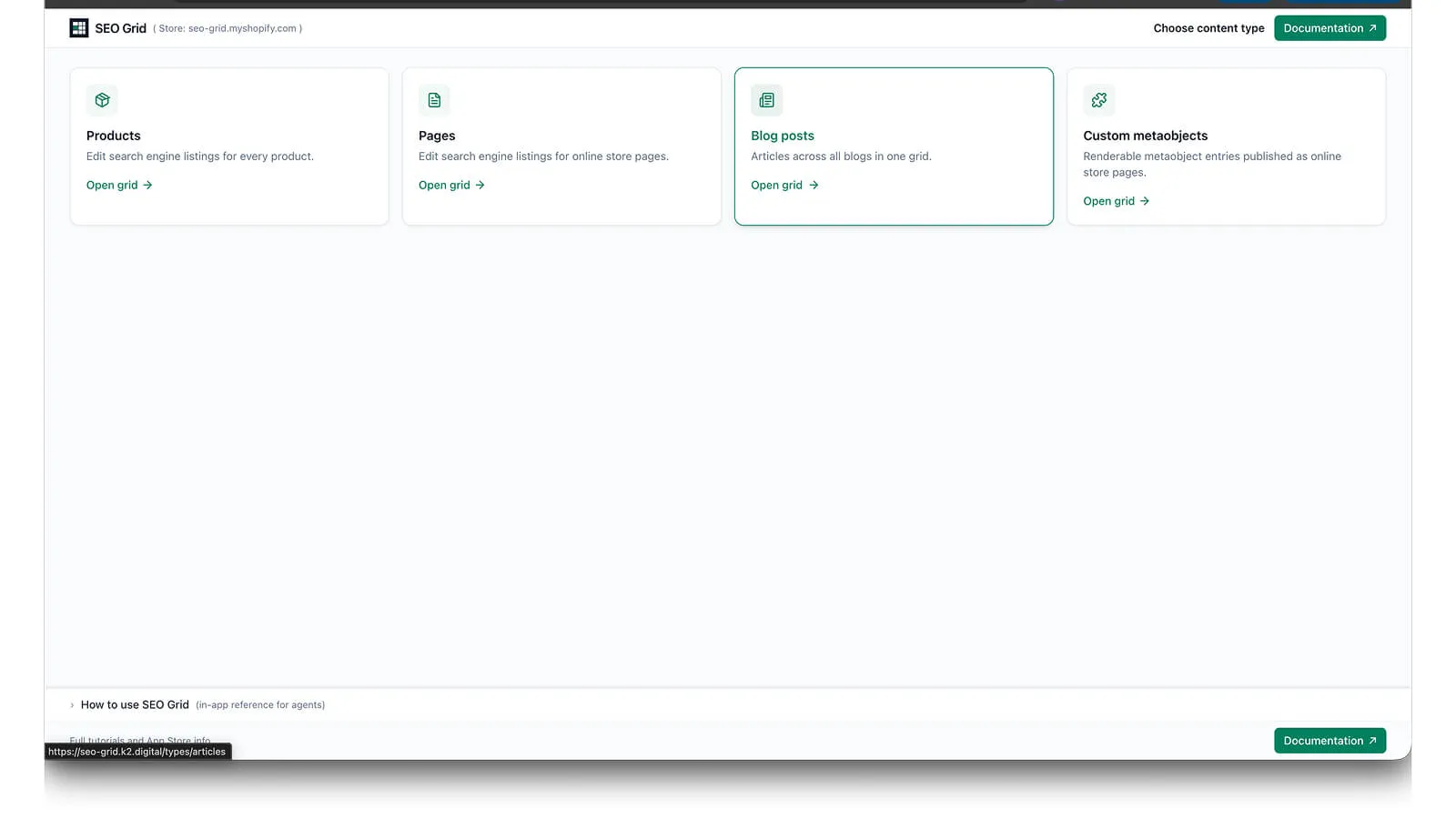
- Choose a content type: Products, Pages, Blog posts, or Custom metaobjects.
- Edit meta title, description, or handle — click Save on one row, or Save All (N) for every highlighted row on the page.
See Quickstart and Install for step-by-step setup.
Video walkthroughs
Section titled “Video walkthroughs”Screen recordings are embedded on the guides below (no audio required).
Full App Store demo (4:50)
Section titled “Full App Store demo (4:50)”All sections in one video — open app, products, locales, search, pages, blog posts, and Lookbook metaobjects.
| Topic | Guide |
|---|---|
| Open from Admin → type picker | Install |
| Edit a product and confirm in Admin | Quickstart |
| Three locales and Row info | Multi-locale columns |
| Search the grid | Search |
| Pages and blog posts | Products, pages & blog posts |
| Export & import CSV / JSON | Grid transfer |
| Save All & unsaved highlights | Save All |
| Lookbook metaobjects and translations | Custom metaobjects |
Guides
Section titled “Guides”| Guide | Description |
|---|---|
| Quickstart | First-run walkthrough (~5 min) |
| Install | Install and open from Shopify Admin |
| Grid | Products, pages, and articles |
| Grid transfer | Export & import CSV / JSON for the current page |
| Save All | Unsaved row highlights and batch save on this page |
| Custom metaobjects | Renderable metaobject entries |
| Locales | Up to three locale columns |
| Search | Primary-locale search |
| Row info | Optional context fields |
| AI agents | Automation & semantic markup |
| Billing | Basic plan, 3-day trial, then USD $6/month |
| Troubleshooting | Session, saves, billing |
Support
Section titled “Support”K2 Digital — design and development agency (web, apps, ecommerce on Shopify and other platforms).
-
App Store: Semgrid SEO Grid
-
Email: tech@k2.digital — SEO Grid help or free Shopify advice