
Search — find rows in the primary locale
Search helps you find rows quickly in large catalogs.
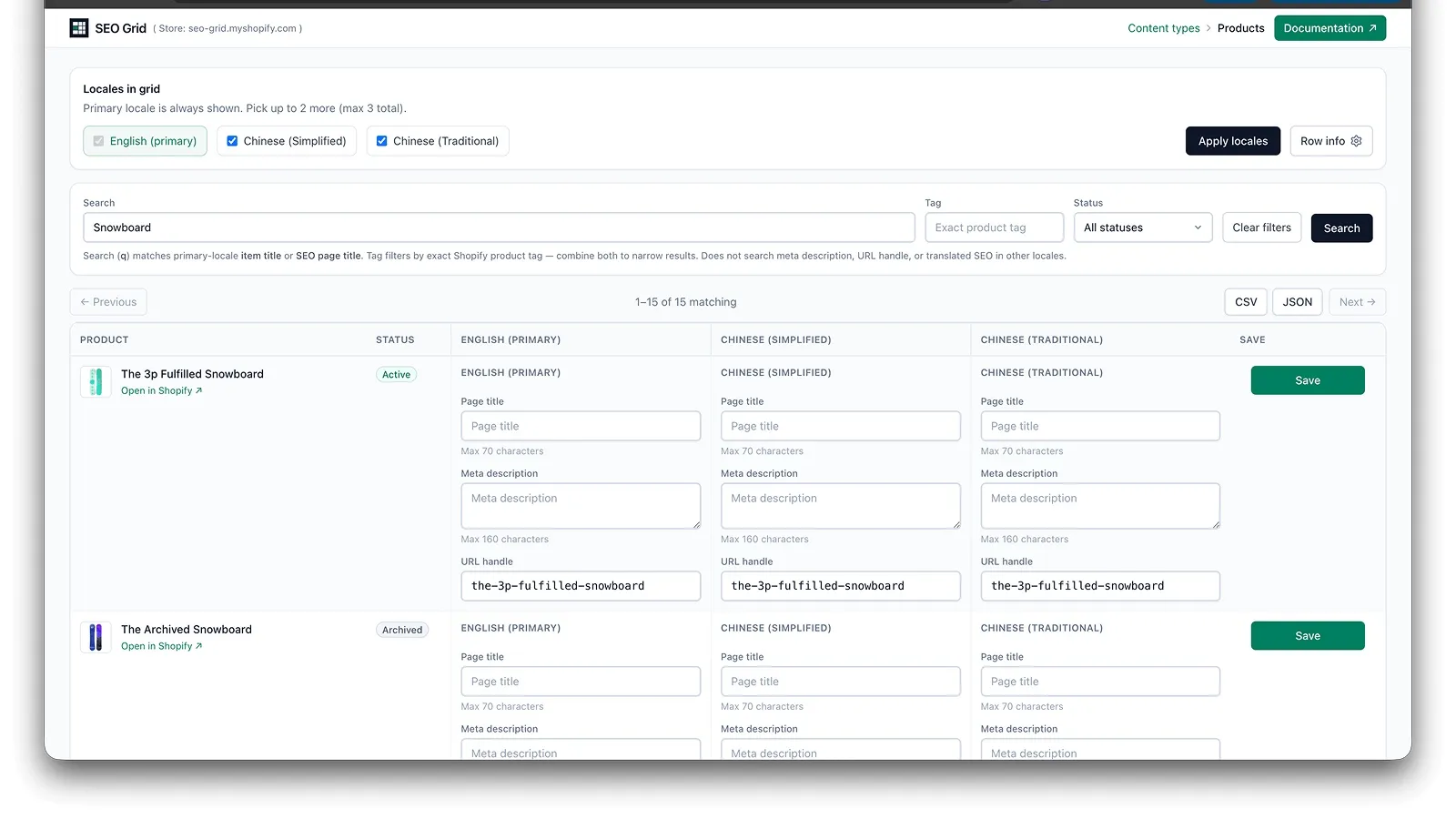
- Search runs against the shop primary locale only.
- Products, pages, and blog posts — the search box (
?q=) matches item title or SEO page title. It does not match URL handle or meta description. - Products only — a separate Tag field (
?tag=) filters by exact Shopify product tag (server-side). Combine with search and status: e.g. draft products whose title contains “snowboard” and have tagwax. - Custom metaobjects — search (
?q=) also matches URL handle, plus entry display name and SEO page title. - Translation-only text in secondary locale columns is not used for search.
How to search
Section titled “How to search”- Open a content type grid (products, pages, blog posts, or custom metaobjects).
- Enter a query in the search box (or on products, enter a tag in the Tag field).
- Click Search — the grid lists matching rows.
Optional on products, pages, and blog posts:
- Status — narrow by lifecycle or publish state (e.g. draft only).
- Tag (products only) — exact product tag; works alone (
?tag=wax) or combined with search (?q=snow&tag=wax).
Clear removes search and tag filters and returns to browse mode (cursor pagination). Status stays active until you change it back to All statuses.
URL parameters (agents & bookmarks)
Section titled “URL parameters (agents & bookmarks)”| Param | Applies to | Meaning |
|---|---|---|
q | All grid types | Item title or SEO page title (metaobjects also match handle) |
tag | Products only | Exact product tag (tag:"…" in Shopify Admin API) |
status | Products, pages, articles | draft, published, archived, unlisted (products) |
Examples: ?q=snowboard, ?tag=wax, ?q=snow&tag=wax&status=draft.