
Multi-locale columns — up to three Shopify locales
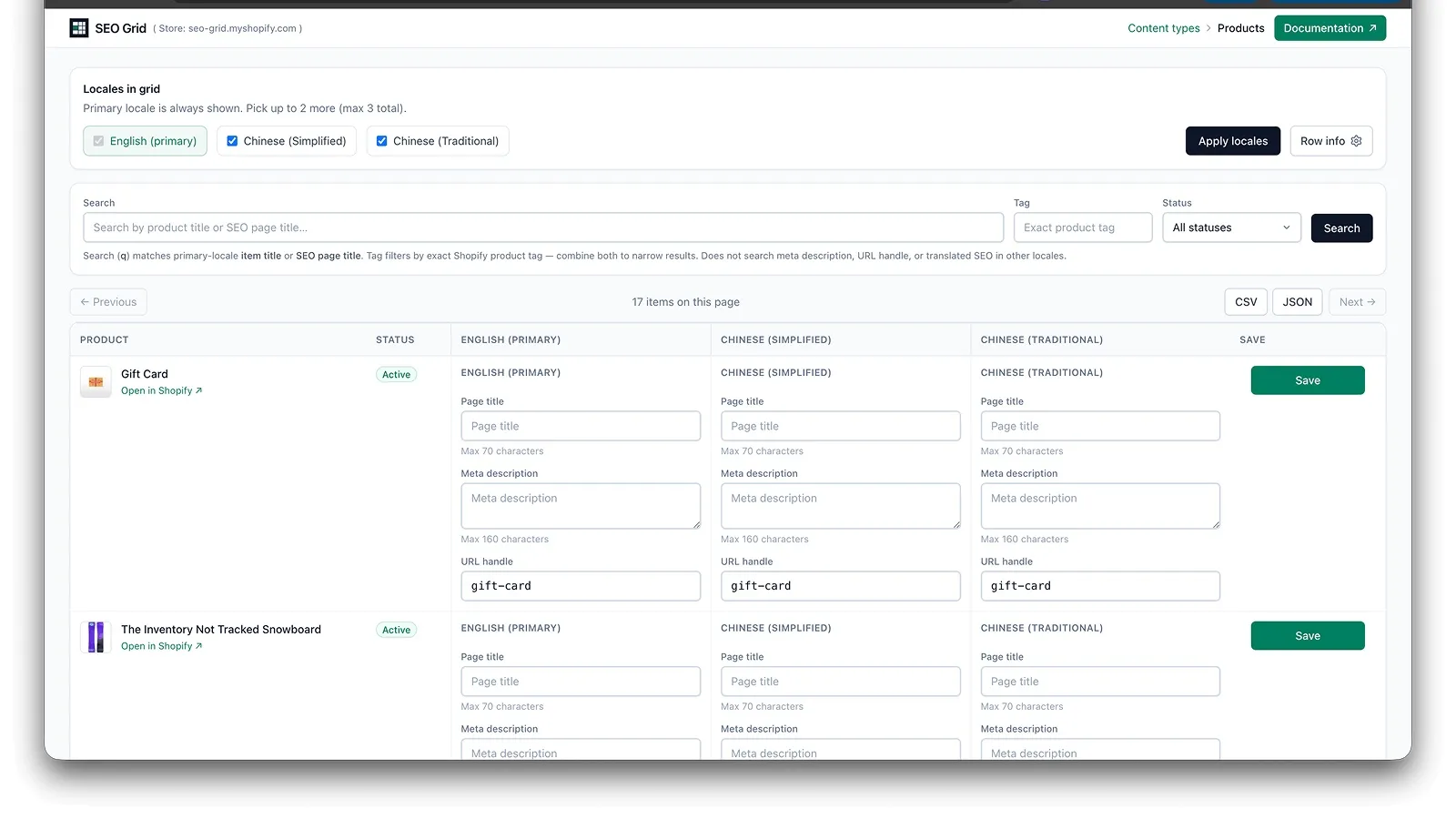
SEO Grid supports up to three published shop locales as columns in the same grid.
Which locales appear
Section titled “Which locales appear”- Only published shop locales from Shopify are offered.
- The shop primary locale is always available.
- You can enable up to three locale columns total (including primary).
Add or remove columns
Section titled “Add or remove columns”- Open the locale picker in the grid header.
- Select the locales you want as columns.
- The grid reloads with the new column set.
Removing a locale column hides it from the grid — it does not delete translations in Shopify.
Save per locale
Section titled “Save per locale”Each row saves locale-specific SEO fields together for that resource. Edit the cells under the locale column you need, then Save the row.
URL handles per locale
Section titled “URL handles per locale”Each locale column has its own URL handle field.
| What you change | Storefront | Content → Menu → URL redirects |
|---|---|---|
| Primary locale handle | Old default-locale URLs redirect to the new handle | New row appears (for example /products/old → /products/new, /pages/old → /pages/new) |
| Secondary locale handle only | Old locale-prefixed URLs redirect to the new translated handle (for example /zh-hant/pages/contact → /zh-hant/pages/contact-tc) | Usually unchanged — no new row; Shopify handles this via translations |
Secondary-locale handle edits match Translate & Adapt for products, pages, and blog posts: old translated links keep working even when Admin’s redirect list does not grow.
When a secondary column shows the same handle as primary, that locale is using the primary handle — that is normal; storefront URLs still differ by locale prefix (for example /products/handle vs /zh-hant/products/handle). You can translate the handle separately by editing that secondary column and Save when you want a locale-specific slug.
See URL handle changes and redirects for the full behaviour.
Related
Section titled “Related”- Products, pages & blog posts
- Custom metaobjects — Lookbook walkthrough with three locales
- Search (primary locale) — search uses the primary locale only
- Troubleshooting