
Row info — optional context fields
Row info shows optional read-only context beside a grid row — useful for staff and browser automation.
Open Row info
Section titled “Open Row info”Use the Row info control in the grid header (gear). Choose read-only fields such as description, vendor, or tags, then apply. You can also add ?context=description (or other field ids) to the grid URL.
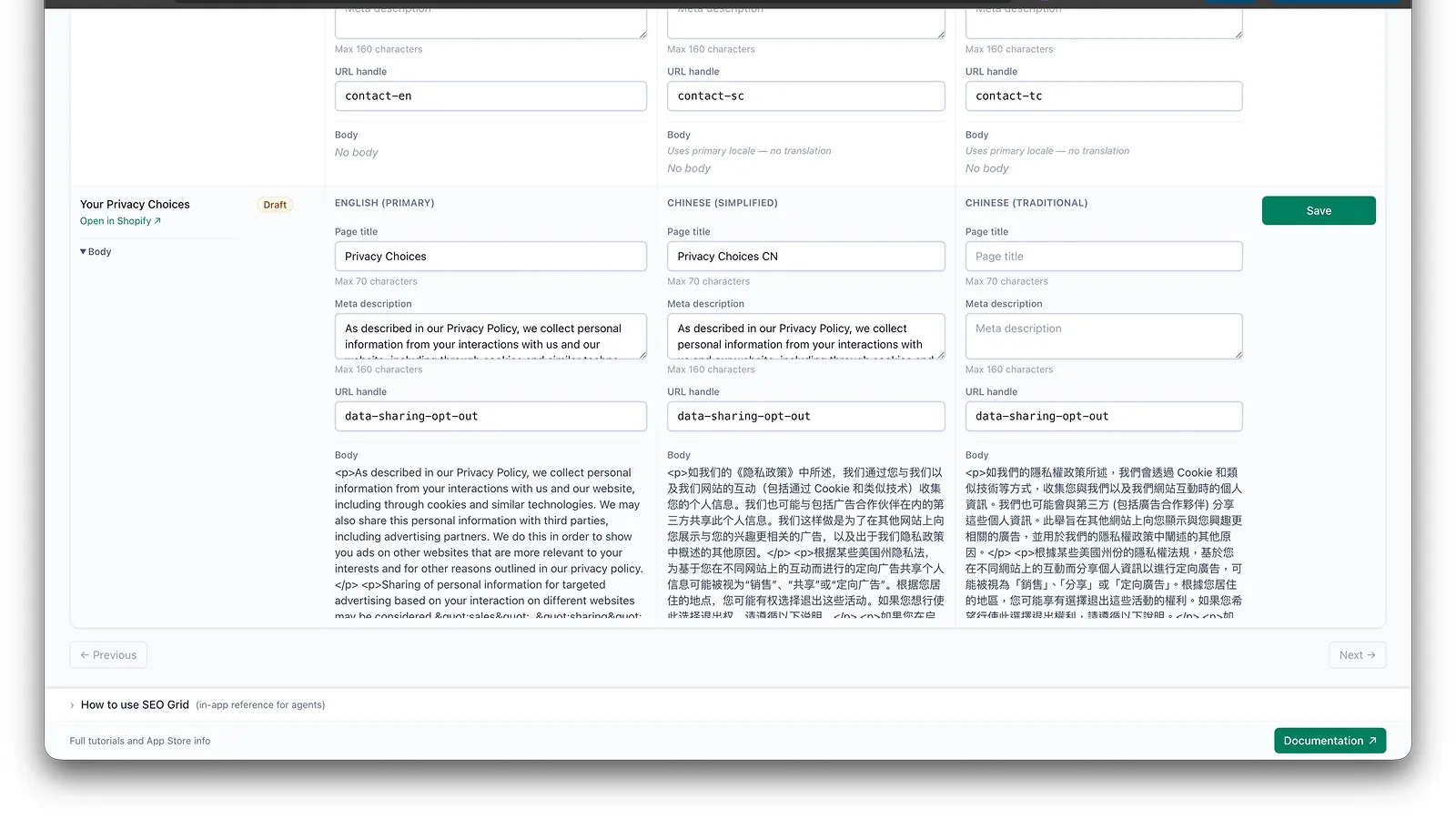
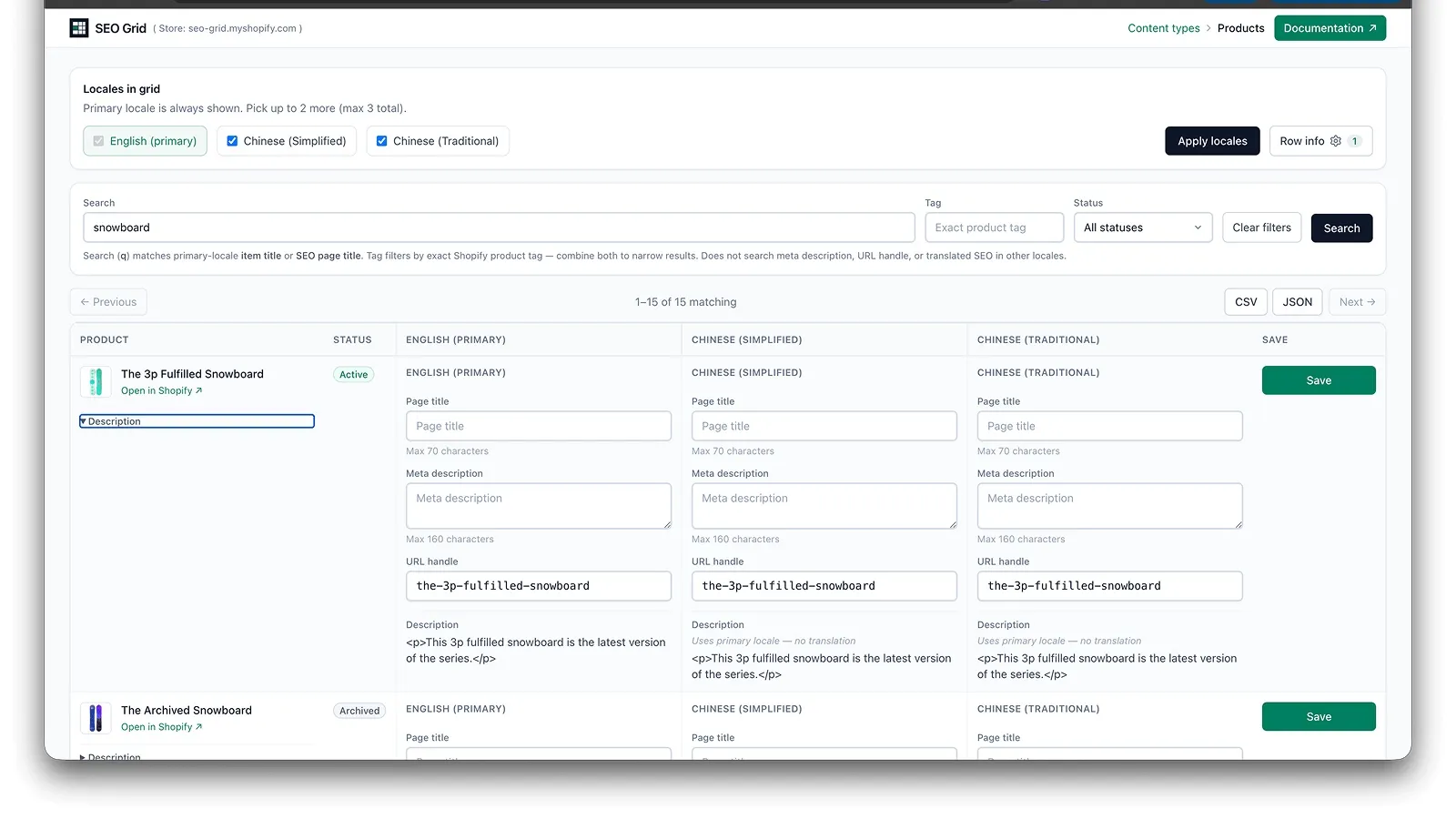
Each row can expand a Description (or other) panel with resource metadata. These fields are reference only — they do not write SEO copy.
What appears
Section titled “What appears”Context fields depend on content type:
- Products — description, vendor, tags
- Pages / blog posts — body
- Custom metaobjects — definition-specific text fields (e.g. content, body HTML), excluding SEO columns. Content (rich text) shows pretty-printed JSON; Body HTML shows sanitized HTML. See Custom metaobjects.
These fields are read-only in v1. When multiple locales are selected, translatable fields (body, description, metaobject content) appear under the SEO fields in each locale column. Expand the toggle in the item column to show or hide all locale panels at once. With a single locale, context stays in the item column as before.
Related
Section titled “Related”- Multi-locale columns — screen recording of Row info under each locale column
- Browser agents & semantic markup
- Products, pages & blog posts